- Prerequisite: You are in the menu item Event planning in MOSES.
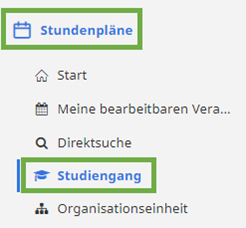
- Click on Timetables “Stundenpläne” and degree program “Studiengang” in the left-hand menu column.
- Select the desired semester “Semester”, the desired degree program “Studiengang” and the appropriate examination regulations “Prüfungsordnung”.

- Click on the desired semester or the entire degree program.

- Click on Search events “Veranstaltungen suchen”.
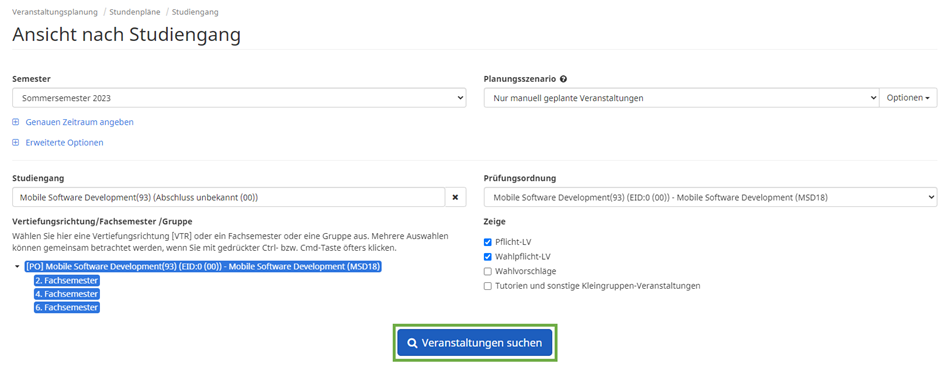
- The timetable (calendar + course list) is opened.


